DodaInbox - Power Toolkit for Gmail
DodaInbox - Power Toolkit for Gmail is a modern, modular, 100% privacy-first productivity toolkit built natively into Gmail. Everything you need to master notes, snippets, tables, reminders, privacy, and labels — with 8 modular subsystems you can toggle on or off independently.
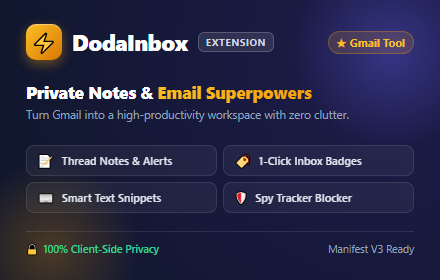
- 🔒 100% Client-Side Storage
- ⚡ Zero Remote Cloud Servers
- 🧩 8 Modular Subsystems
- 🛡️ No OAuth Mail Read Permissions
Core Philosophy
DodaInbox was built to give professionals the power of complex CRM toolkits without the bloat, slow page loads, or intrusive tracking. All data is saved exclusively to your browser’s encrypted local and sync storage.
The 8 Master Modules
Under Settings → All Modules, you can toggle each of the 8 core functional subsystems on or off independently:
| Module | What It Does |
|---|---|
| 📝 1. Thread Notes | Private sticky notes, checklists, 5 color themes, follow-up deadlines, and inbox row tags. |
| ⚡ 2. Text Snippets | Instant trigger expansion (e.g. ;intro, ;thanks) with autocomplete and dynamic variables. |
| 🖋️ 3. Formatting & Tables | One-click Markdown to HTML conversion and an interactive responsive HTML table editor. |
| 🛡️ 4. Privacy Shield | Automatic blocker for hidden 1x1 spy tracking pixels from Mailtrack, HubSpot, Superhuman, and 30+ others. |
| 📎 5. Attachment Reminder | Capture-phase send interceptor that warns you if you wrote “attached” without attaching files. |
| 📋 6. Template Library | 17+ curated business templates across 7 categories with dynamic variables and 1-click insertion. |
| 🏷️ 7. Quick Labels | 1-Click colorful header badge pills, dual Gmail sync, inbox chips, and keyboard shortcuts 1–5. |
| 🔍 8. In-Thread Search | Search long conversation threads with auto-expansion of collapsed messages and 1-click Expand All. |
Features
1. Thread Notes & Reminders
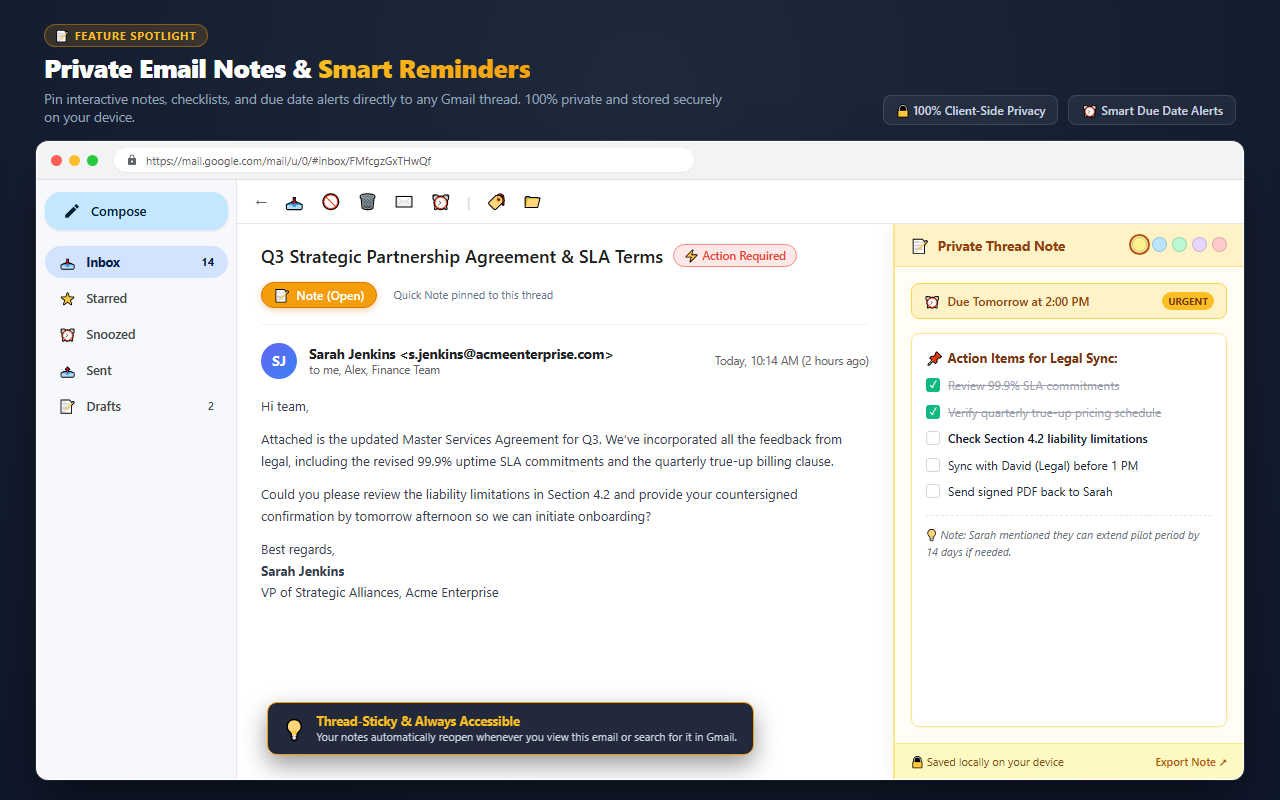
Attach notes directly to any email conversation. Notes are saved automatically as you type and follow the email thread permanently.
Color themes — Click any color dot in the top-right corner of the note editor:
| Color | Meaning |
|---|---|
| 🟡 Yellow | General Reminder — standard notes, context, or contact notes. |
| 🔴 Red | Urgent / High Priority — time-sensitive tasks and high-priority deals. |
| 🟢 Green | Done / Approved — completed contracts, paid invoices, or approved deliverables. |
| 🔵 Blue | Follow-up — client check-ins, scheduled meetings, or reviews. |
| 🟣 Purple | Personal / Waiting — awaiting response, internal handoffs, or personal notes. |
Follow-up due dates — Set a reminder with 1 click: Today, Tomorrow, In 3 Days, Next Week, or a custom date/time. High-visibility status chips display automatically in your Inbox:
⏰ Due Today— Yellow badge for items due before midnight.⏰ Due Tomorrow— Blue badge for upcoming action items.⚠️ Overdue (Sep 10)— Red warning badge for overdue tasks.
Rich editor & interactive tasks — Use the visual toolbar or type markdown directly: **bold**, *italic*, underline, and - [ ] Checklist. Checkboxes can be clicked directly to mark items complete.
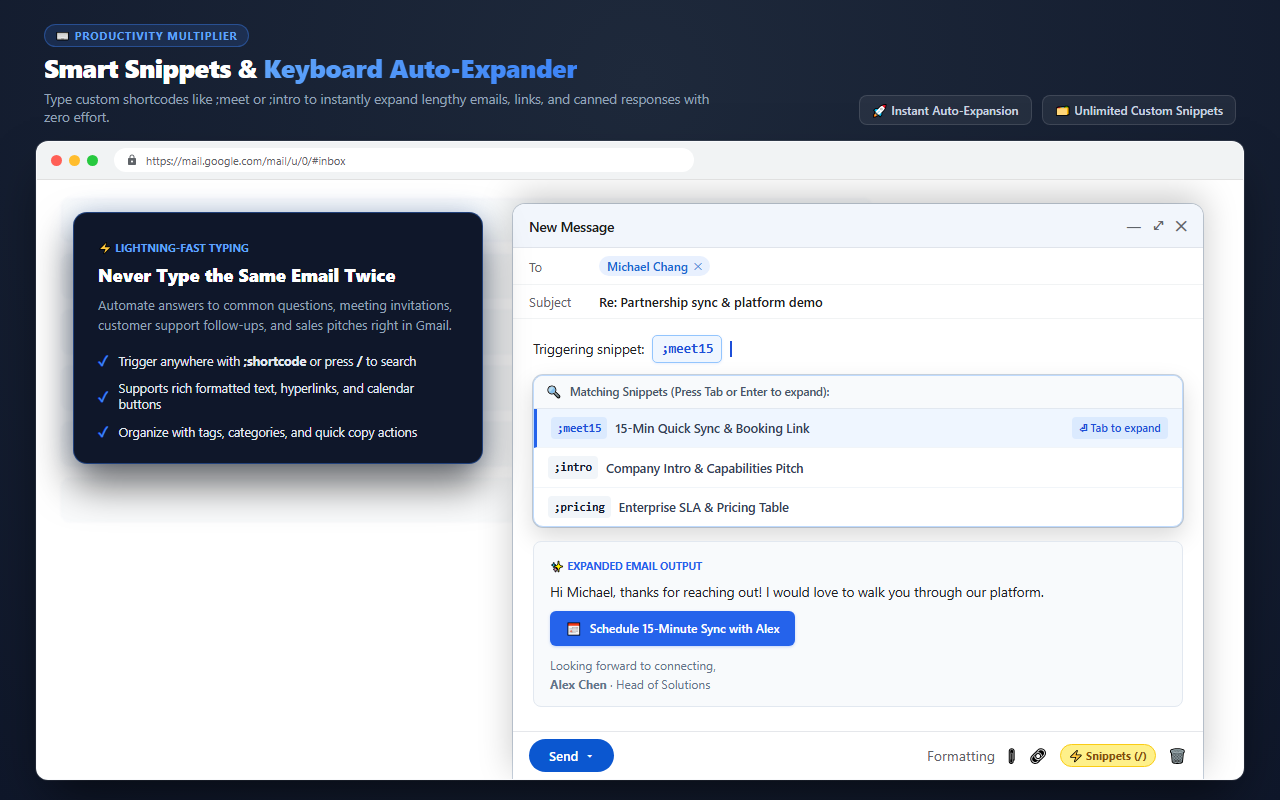
2. Text Snippets & Expander
Save hours of typing every week by expanding repetitive text using short triggers directly inside Gmail compose and reply boxes.
Dynamic variables:
| Variable | Description | Example Output |
|---|---|---|
{name} |
Recipient’s first name extracted from the “To” field | Sarah |
{email} |
Recipient’s full email address | [email protected] |
{date} |
Current date formatted locally | Sep 13, 2026 |
{day} |
Current day of the week | Friday |
{cursor} |
Positions your typing caret here after expansion | [Cursor placed here] |
3. Formatting & Interactive Tables
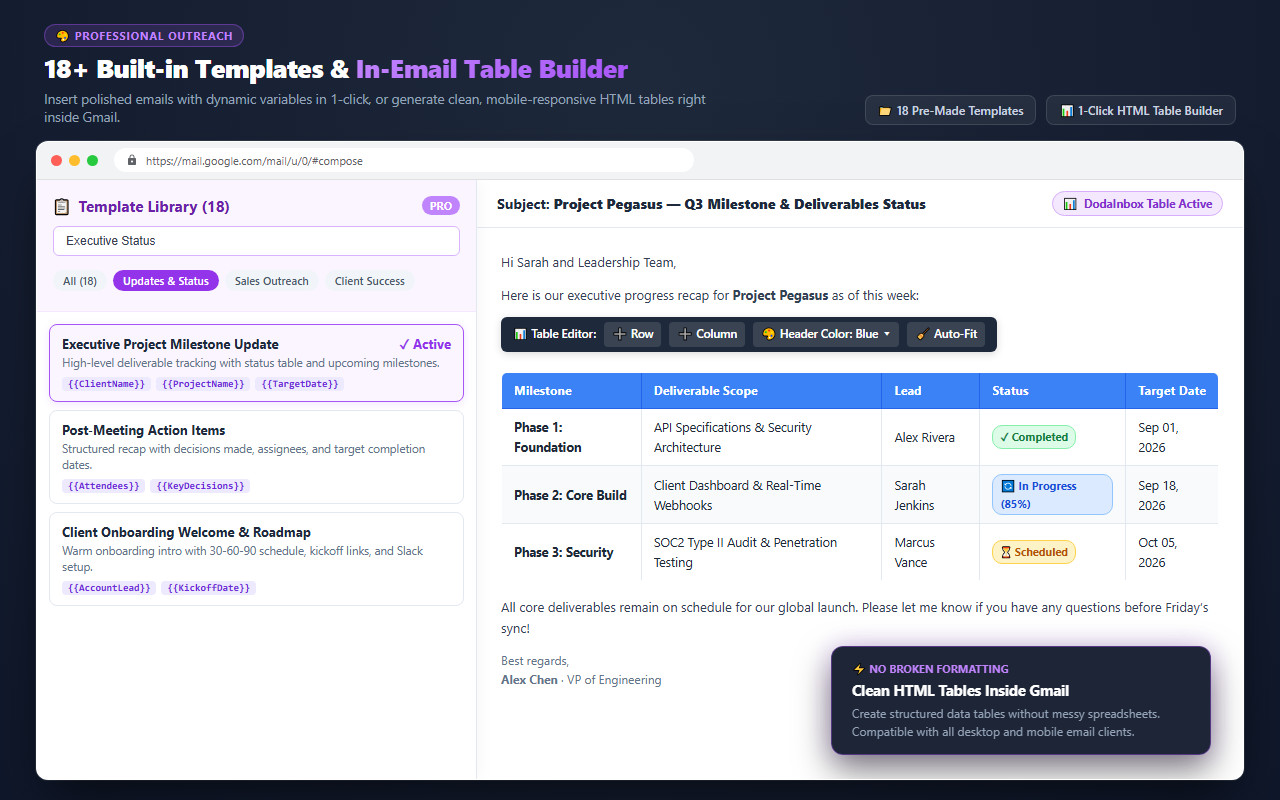
Insert clean, responsive HTML tables into your emails and convert markdown text with one click:
- Responsive table grids — Select rows and columns from the grid dropdown to insert a styled table.
- Interactive table editor — Click inside any table cell to open floating buttons: Add Row Above/Below, Add Column Left/Right, Delete Row/Column, and Cell Shading.
- Markdown to HTML — Click the MD button in the compose toolbar to convert standard markdown into clean, inline-styled email HTML.
4. Privacy Shield
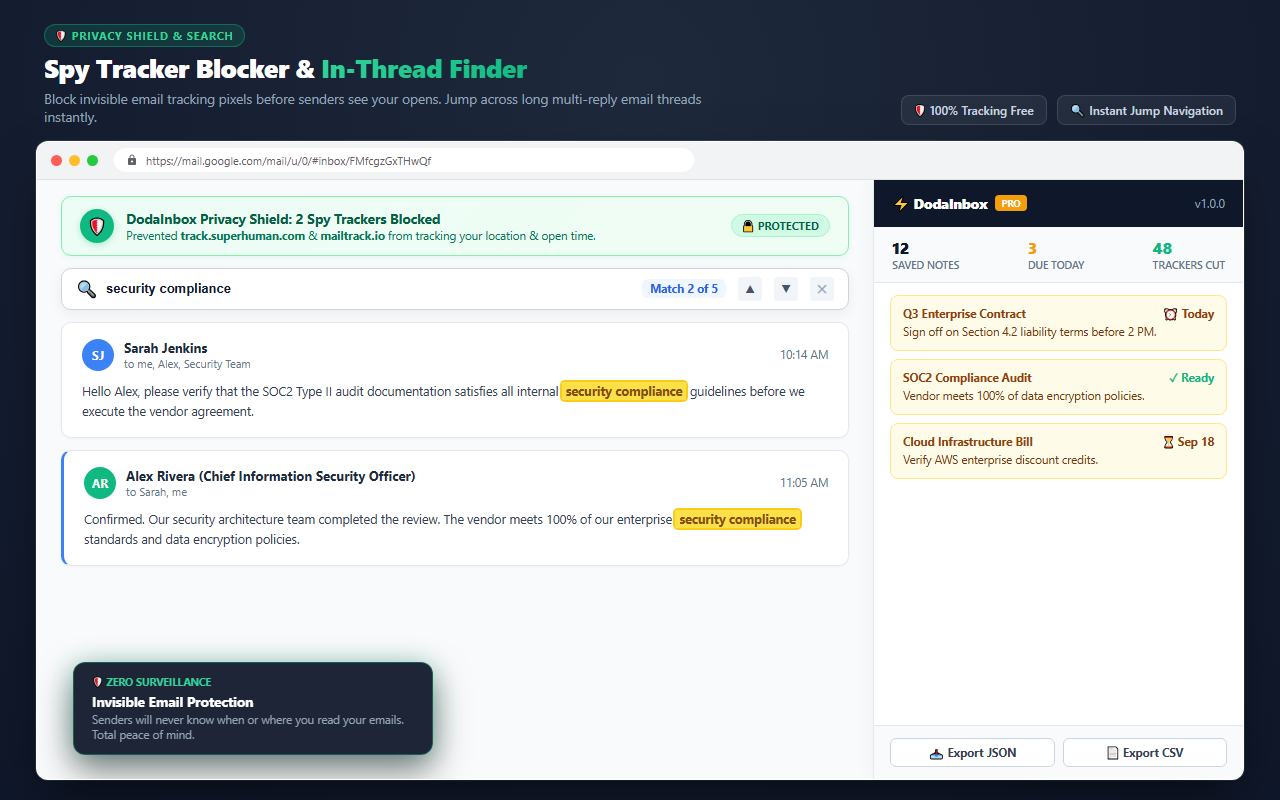
Prevents senders from tracking when, where, and how many times you open an email:
- Blocks 1x1 tracking GIFs and web beacons from Mailtrack, Yesware, HubSpot, Streak, Superhuman, and 30+ other tracking domains.
- Neutralizes spy pixels safely without breaking email layouts or showing missing image icons.
- Keeps your IP address and reading habits completely private.
5. Forgotten Attachment Warning
Never send an incomplete email again. DodaInbox’s scanner monitors your email before it leaves your outbox:
- Scans for terms like “attached”, “enclosed”, “pdf”, “invoice attached”, etc.
- Works in both brand-new compose windows and quick inline reply drafts.
- Provides a clean warning modal: “You mentioned an attachment, but haven’t attached any files. Send anyway or attach files?”
6. Professional Template Library
17+ pre-built email templates across 7 business categories:
- Sales & Outreach — Cold outreach, pitch follow-up, value proposition.
- Meetings & Scheduling — 15-minute sync, meeting request, post-meeting action items recap.
- Client & Projects — Weekly progress report, milestone delivery, delay notification.
- Billing & Invoices — Invoice submission, friendly reminder, overdue notice.
- Support & HR — Ticket acknowledgment, interview invitation, respectful rejection.
- 1-Click Cloning — Click Save to My Snippets to turn any template into an instant keyboard trigger (e.g.
;meet15).
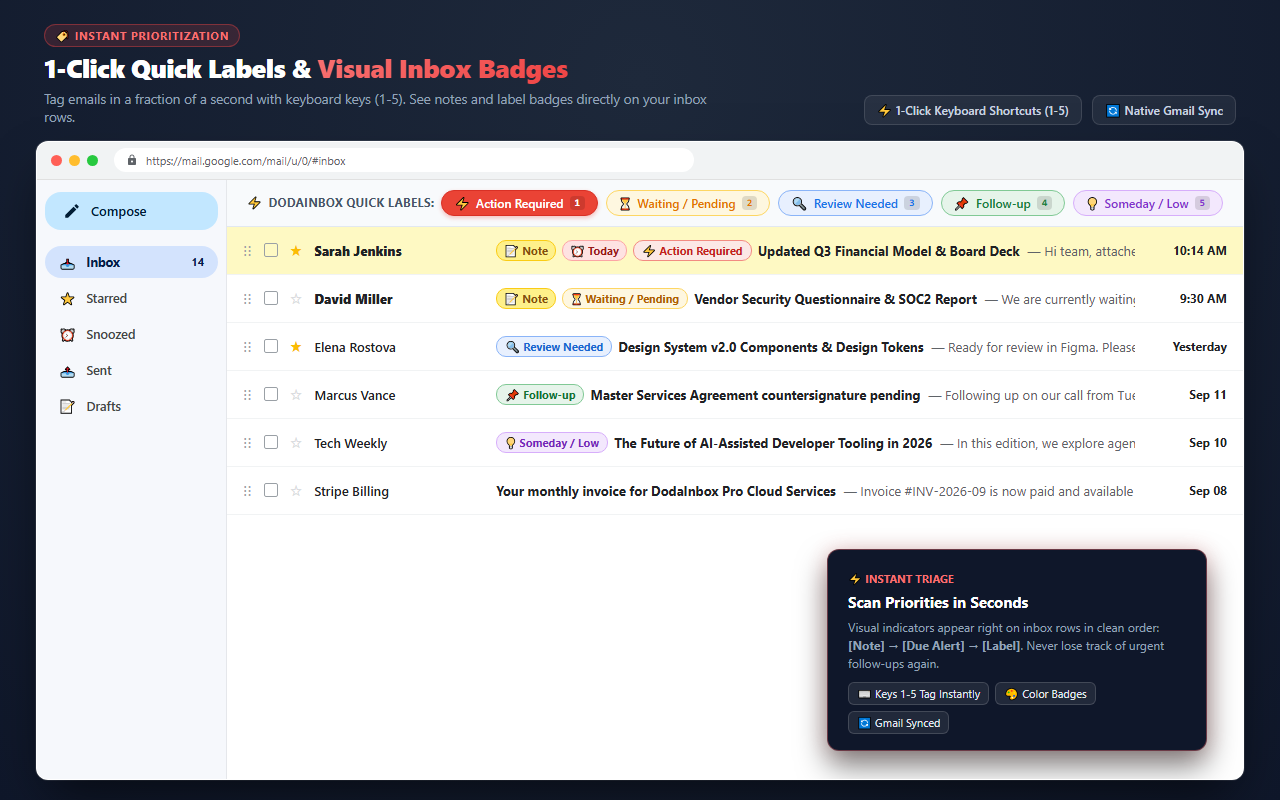
7. Quick Labels
Tag emails instantly without navigating slow dropdown menus:
- 1-Click header pills — Docked right next to the conversation subject:
⚡ Action Required,⏳ Waiting,🔍 Review,📌 Follow-up,💡 Someday. - Keyboard shortcuts — Press number keys
1through5while viewing an email to toggle labels instantly. - Inbox row badges — Color-coded label chips display right in your inbox list.
8. In-Thread Search & Expander
Standard browser search (Ctrl+F) fails in long Gmail threads because Gmail collapses intermediate messages. DodaInbox fixes this:
- Auto-expansion — Automatically finds and expands hidden, collapsed, and stacked messages (“5 more messages”) that contain your search query.
- Live match counter — Shows
1 of 12matches with smooth scrolling to centered matches. - 1-Click Expand All — Click ↕ Expand All to open every collapsed message card in the conversation simultaneously.
Extension Toolbar & Popups
1. Browser Action / Toolbar Popup — Click the ⚡ DodaInbox icon in your Chrome toolbar to open the 3-tab popup:
- Notes Tab — Search all saved notes, see task progress (
✓ 2/3), preview content, and click any note to jump directly to that email in Gmail. - Snippets Tab — View, search, and create text snippets.
- Settings Tab — Fast toggles for all 8 modules and storage sync status.
2. In-Gmail Top Toolbar (Notes Filter & Popover)
📝 Notes (Count)Button — Filters your inbox view to show only threads that have notes attached.- Quick-Jump Popover Caret (
▾) — Dropdown menu directly in Gmail with search, ⚠️ Overdue, and ⏰ Due Soon tabs.
3. Gmail Inbox List Row Badges — Any email thread with a note attached displays:
[ 📝 Note ]Pill Chip — Native-style chip badge prepended in the subject column.- 4px Left-Border Stripe — Colored vertical accent bar matching the note’s color theme.
- Follow-up Due Chip — Secondary chip displaying reminder due status.
Keyboard Shortcuts
| Shortcut | Where to Use | Action |
|---|---|---|
Alt + N |
Inside Email Thread | Toggle Notes Panel (open/close) |
Alt + F |
Inside Email Thread | Launch In-Thread Search (Find) |
1 to 5 |
Inside Email Thread (outside inputs) | Toggle Quick Labels 1 through 5 |
Ctrl + B |
Inside Notes Editor | Make selected text Bold |
Ctrl + I |
Inside Notes Editor | Make selected text Italic |
Ctrl + U |
Inside Notes Editor | Underline selected text |
Enter / Shift+Enter |
Inside In-Thread Search | Jump to Next / Previous match |
Esc |
Inside Notes or Search | Close panel / Clear highlights |
; + shortcut (e.g. ;intro) |
Inside Compose / Reply box | Expand text snippet |
Privacy & Data Backup
Your data belongs to you. DodaInbox provides complete data portability:
- Export as TXT — Generates an organized text document of all your notes with subjects, dates, and direct Gmail permalinks.
- Backup JSON — Downloads your entire database (notes, snippets, and settings) in open standard JSON format.
- Restore JSON — One-click upload to migrate your notes to a new machine or browser profile.
DodaInbox is architected with a strict Zero-Data-Collection model. See our Privacy Policy for DodaInbox for full details.
Installation
- Visit the Chrome Web Store listing for DodaInbox - Power Toolkit for Gmail.
- Click Add to Chrome (also works on Brave, Microsoft Edge, and Opera).
- Open Gmail.
- Open any email and start mastering your inbox!
The extension is available on the Chrome Web Store for Chrome, Brave, Microsoft Edge, and Opera. Look for DodaInbox - Power Toolkit for Gmail.
License & Contact
- Developer: DodaTech.com
- Support & Feedback: [email protected]
Disclaimer: Gmail™ is a trademark of Google LLC. DodaInbox is an independent software product developed by DodaTech and is not affiliated with, sponsored, or endorsed by Google LLC.