CPU & Compression Benchmark
Hardware Detection & Performance Diagnostic
DodaZIP includes an integrated multi-threaded benchmark tool to test hardware capabilities, CPU core scaling, and compression throughput under real-world workloads.
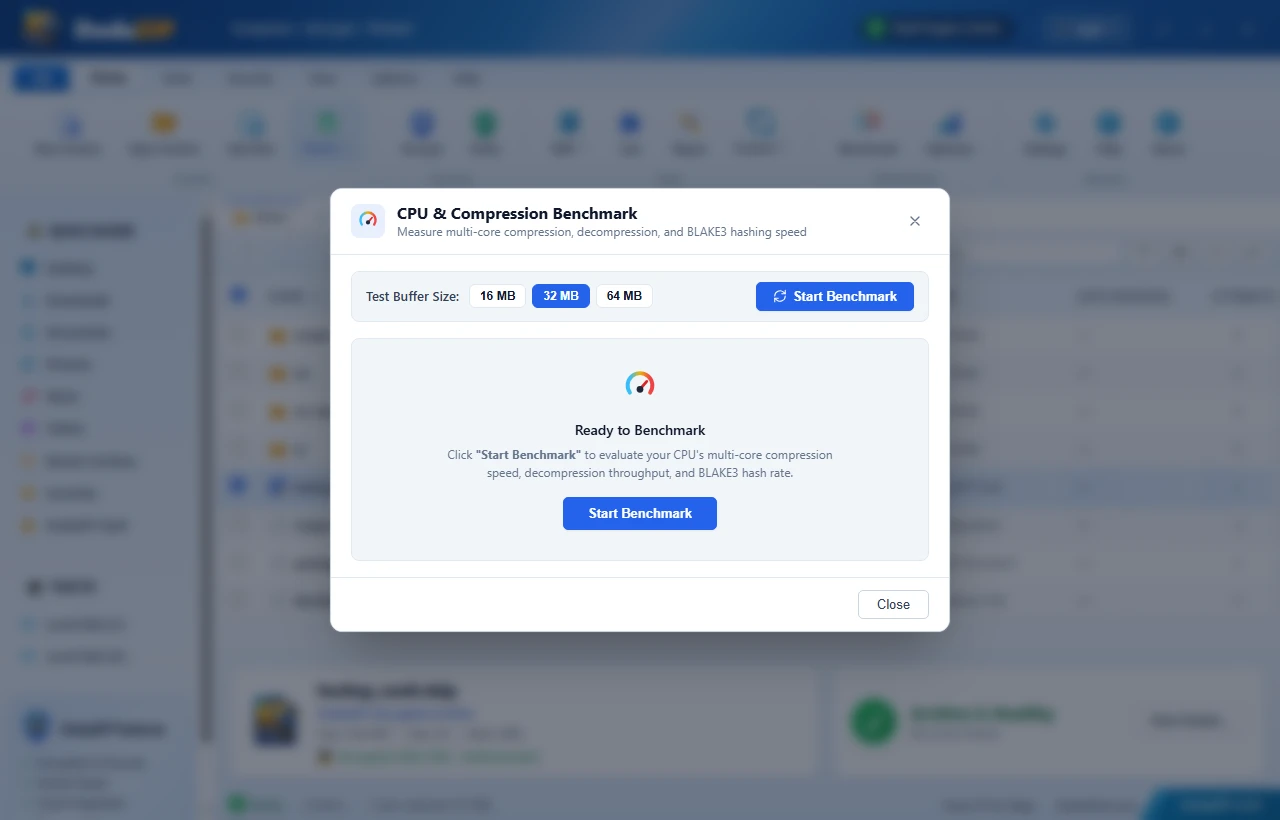
🚀 What the Benchmark Measures
- System & Processor Architecture: Automatically identifies CPU model string, physical & logical core count, and system architecture.
- Zstandard Compression Speed (MB/s): Evaluates multi-threaded Zstandard compression throughput across simulated data blocks.
- Zstandard Decompression Speed (MB/s): Measures real-time multi-core decompression performance.
- BLAKE3 Cryptographic Throughput: Measures parallel tree-hashing speed to evaluate archive integrity verification rates.
💻 How to Run the Benchmark
In the Desktop Application (GUI)
- Launch DodaZip.
- Click the Benchmark button in the main navigation toolbar (indicated by the speedometer/gauge icon) or use the shortcut.
- Select your test dataset size:
- Quick Test: 32 MB
- Standard Test: 64 MB (Recommended)
- Stress Test: 128 MB
- Click Start Benchmark. Results are rendered with real-time throughput gauges and performance classifications.
In the CLI
# Run default hardware benchmark
dodazip bench

# Run benchmark with customized dataset size (e.g. 128 MB)
dodazip bench --size 128