Getting Started with DodaMail
Getting Started with DodaMail
Welcome to DodaMail! This guide walks you through system requirements, installation, initial configuration, and mastering the 3-pane desktop workspace.
System Requirements
DodaMail is a native desktop client compiled for Windows, macOS, and Linux.
| Component | Minimum Specification | Recommended Specification |
|---|---|---|
| Operating System | Windows 10/11 (64-bit) macOS 12.0+ (Intel & Apple Silicon) Linux (glibc 2.31+, Ubuntu 20.04+, Debian 11+, Fedora 36+) | Windows 11 (64-bit) macOS 14+ (Apple Silicon M-Series) Modern Linux Desktop (GNOME/KDE) |
| Processor | Dual-core 1.8 GHz | Quad-core 2.4 GHz+ |
| Memory (RAM) | 2 GB RAM | 4 GB+ RAM |
| Storage | 250 MB for client installation | 5 GB+ for local SQLite email cache & attachments |
| Network | Offline-capable; internet required for IMAP/SMTP sync | High-speed broadband |
Main Interface Layout
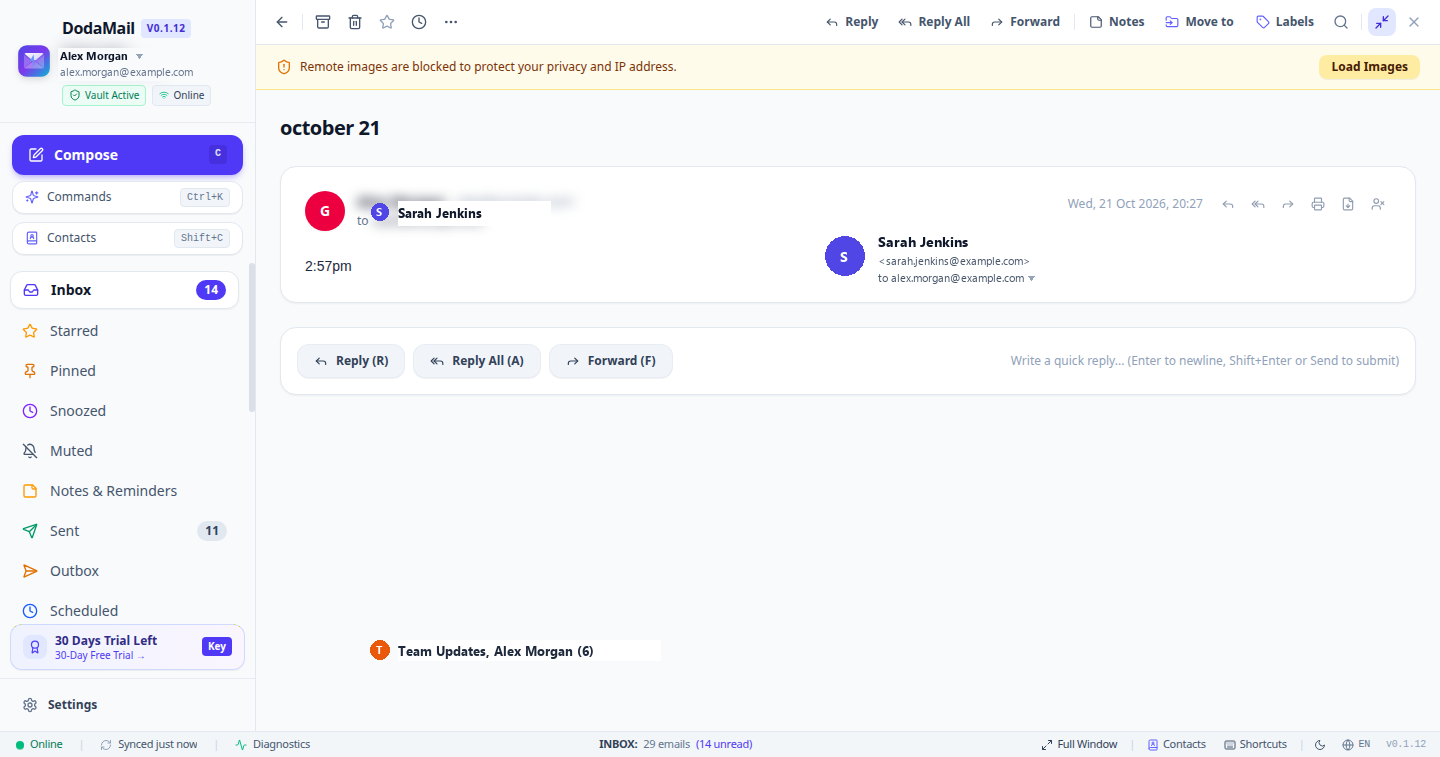
Once an account is configured, the DodaMail desktop workspace is divided into three functional columns plus the bottom status bar:
- Sidebar (Navigation Pane): Houses the multi-account selector, primary Compose button, standard system folders, custom colored labels, offline outbox badge, trial status pill, and the application Settings trigger.
- Thread List (Index Pane): Displays message threads matching the selected folder or search query. Features mass-selection checkboxes, batch actions, read/unread status indicators, and sorting controls.
- Thread View (Reading & Response Pane): Renders the selected email conversation with collapsible quote blocks, security indicators, tracker blocking details, attachment inspection lightbox, and 1-click Move to Label (
V) tools. - Desktop Bottom Status Bar: Displays online connection state, relative sync timer, diagnostics shortcut (
🩺 Diagnostics), active folder counts, layout toggles (Split ViewvsFull Window), contacts, keyboard shortcuts, theme toggle, and language switcher.\n